Installing Home Internet in Korea: Contracts, Routers, and Questions Foreign Residents Should Ask
Fast mobile data can make home internet seem optional when you first arrive in Korea. That changes quickly if you work remotely, play online games, stream video, attend online classes, upload large files, or live in a building with weak indoor mobile reception.
Korean home internet can be reliable, but the advertised monthly price rarely explains the whole agreement. Contract length, installation charges, router rental, television bundles, promotional gifts, cancellation fees, building wiring, and equipment returns can all affect the real cost.
Check whether internet already exists
Before ordering a new service, ask the landlord, building manager, dormitory, or previous resident whether internet is already provided. Housing can fall into several situations:
- Internet included in the rent
- Internet included in the maintenance fee
- Shared building internet
- Individual service already installed
- Tenant must sign a new contract
- Only certain providers available
- Wired connection available but no router
- Wi-Fi provided only in shared spaces
Included internet may be convenient but unsuitable for demanding work. Ask:
- Is the connection private or shared?
- Can I connect with an Ethernet cable?
- Is there a data or speed limit?
- Can I install my own router?
- Who handles outages?
- Does the service end when I move?
- Is the fee truly included?
Test the existing connection before signing another contract.
Building availability comes before price
A provider’s national advertisement does not prove that the advertised service is available in your unit. Availability can depend on:
- Building wiring
- Neighborhood network
- Floor
- Landlord permission
- Previous installation
- Construction access
- Provider agreement with the building
Give the provider the complete Korean address, including building and room number.
Ask whether the connection is direct to the unit and what installation work is required. Older villas and unusual converted housing can have more limitations than newer apartment buildings.
Do not cancel an existing connection before the new provider confirms installation.
Understand the contract term
Home internet is often marketed with a longer contract because the monthly price may be lower and promotional benefits may be offered. A long contract can be unsuitable for a foreign resident whose visa, job, or housing is uncertain. Before signing, request:
- Contract start and end dates
- Regular monthly charge
- Discounted monthly charge
- Installation fee
- Router fee
- Television fee
- Early termination calculation
- Promotional benefit conditions
- Moving procedure
- Equipment-return rules
Ask for the total cost over the period you realistically expect to stay. A lower monthly price can become expensive if you leave early and repay discounts or promotions.
Promotional gifts are part of the calculation
Internet providers and sales agents may offer cash, gift cards, electronics, or other incentives. Treat these as part of the contract, not free money. Ask:
- Who provides the benefit?
- When is it paid?
- What conditions apply?
- Must it be repaid after early termination?
- Does it require a television or mobile bundle?
- Is the offer written in the official agreement?
- What happens if installation fails?
Be cautious when an unofficial agent asks for sensitive information through personal messaging accounts. Confirm that the final contract comes from the actual service provider.
Internet, television, and mobile bundles
A bundle may combine:
- Home internet
- Television
- Mobile phone
- Family accounts
- Home telephone
- Streaming service
- Additional set-top box
The bundle may reduce the price while all services remain active. Canceling or transferring one component can change the remaining discounts. Do not add television simply because the bundled advertisement appears cheaper. Check the equipment fee, channel plan, installation charge, and cancellation conditions. Ask what happens to the internet price if you later change your mobile carrier.
Router rental or personal router
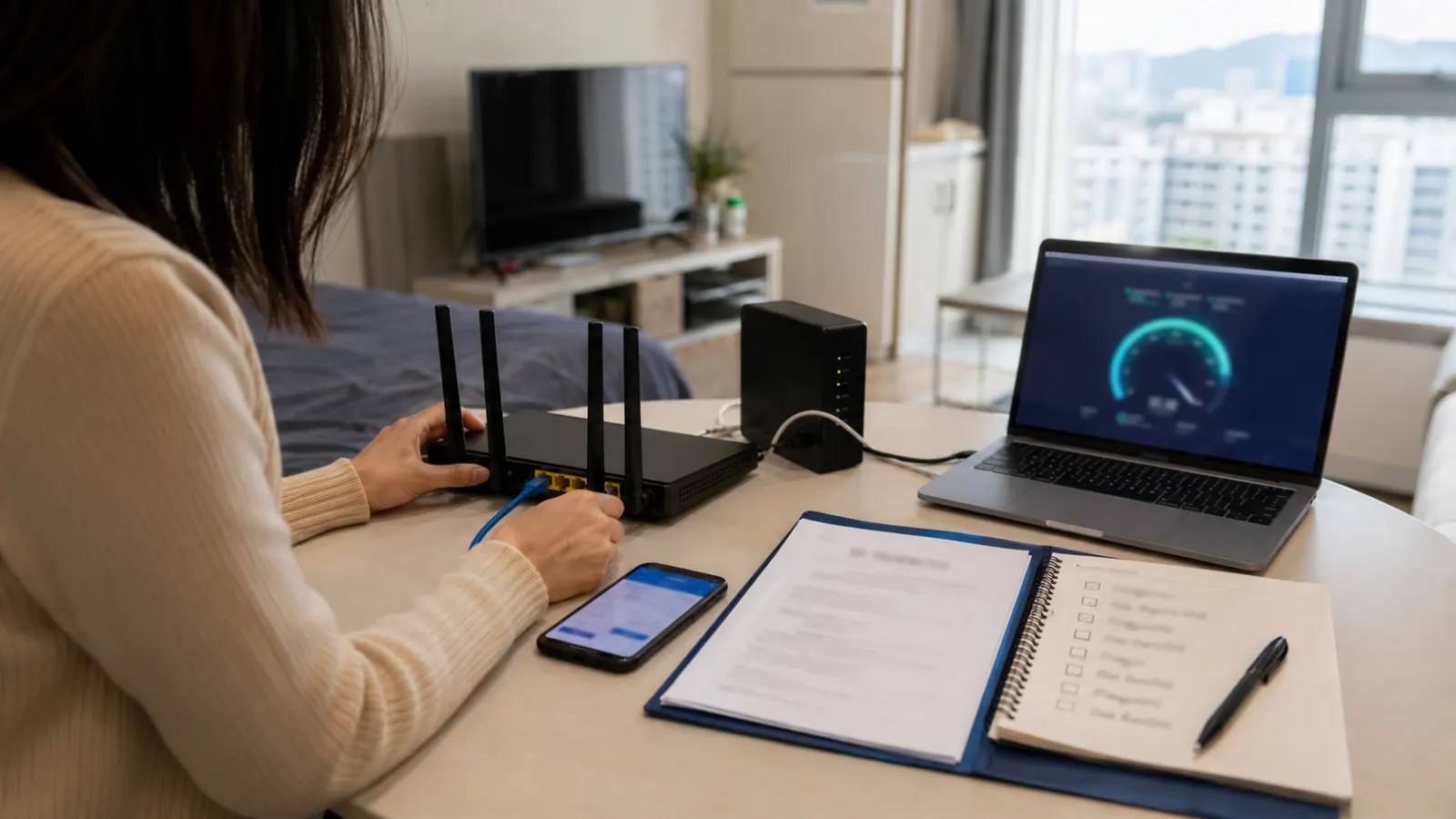
The installed service may provide a rented Wi-Fi router, or you may use your own. A provider router can be convenient because installation and technical support are simpler. It may also involve a monthly fee and must often be returned. A personal router can offer better control, coverage, or advanced features, but setup and compatibility become your responsibility.
Before deciding, check:
- Router rental charge
- Supported speed
- Wi-Fi standard
- Size of the home
- Number of devices
- Ethernet ports
- Mesh support
- Return requirement
- Replacement fee
- Technical-support limitations
A fast internet plan cannot overcome poor Wi-Fi placement. Put the router in an open central area rather than inside a cabinet.
Advertised speed and real use
Internet plans are usually described using maximum connection speeds. Actual experience can be affected by:
- Wi-Fi interference
- Router quality
- Distance from router
- Building wiring
- Device limitations
- Shared network
- Server location
- Time of day
- VPN use
For remote work, test both download and upload performance. Video calls and large cloud backups can depend heavily on stable upload and latency, not only headline download speed. Use an Ethernet cable for critical work or gaming when possible. If performance is poor, test directly through the wired connection before concluding that the provider’s line is the problem.
Installation day
The technician may need access to the communication cabinet, wall ports, building equipment room, or landlord-controlled space. Prepare:
- Korean address
- Contact number
- Preferred router location
- Landlord or manager contact
- Existing equipment
- Translation support
- Identification if requested
- Payment information
Before the technician leaves:
- Connect your phone and laptop.
- Test Wi-Fi in the main rooms.
- Test a wired port.
- Confirm the network name and password.
- Photograph installed equipment.
- Record serial numbers.
- Ask how to report a fault.
- Confirm all charges.
Do not sign completion before confirming that the service works.
Moving the service
When moving, contact the provider early. Ask whether the service can be transferred to the new address. Transfer may involve an installation charge, technical availability check, or new contract conditions. When service is unavailable at the new home, ask how the provider handles the remaining agreement and what evidence is required.
Do not leave the router and equipment in the old apartment unless the provider explicitly instructs you to do so.
Canceling and returning equipment
Cancel the contract formally. Request written confirmation of:
- Termination date
- Final bill
- Early termination fee
- Discount recovery
- Promotional repayment
- Equipment list
- Return method
- Return deadline
- Refund
- Confirmation number
Photograph the router, modem, television box, remote, cables, and power adapters before returning them. Keep the courier receipt or technician collection record. Missing equipment can create charges after you leave Korea.
Choosing internet for your situation
A short-term resident may prefer furnished housing with internet included, even when the connection is less customizable. A student may need stable video classes but should avoid a contract longer than the expected stay. A remote worker should prioritize wired access, upload quality, fault support, and backup mobile data.
A gamer or creator may care more about latency, upload performance, router control, and Ethernet access. Choose the service based on how the home will be used rather than the highest advertised speed.
Quick Summary
- Ask whether internet is already included before ordering a separate service.
- Confirm unit-level availability, contract length, installation, router, bundle, and cancellation costs.
- Test wired and wireless performance before the technician leaves.
- Formally cancel the service and document every returned router, modem, cable, and television device.